

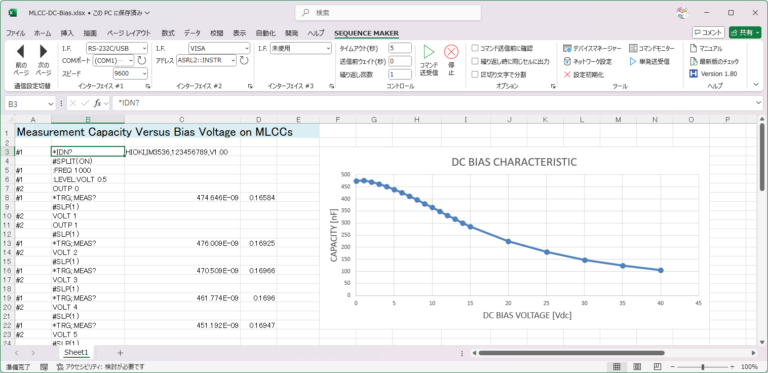
Sequence Maker is an add-in to realize integrated instrument control with Excel.
Control multiple instruments…
Summarize the measurement results…
Features
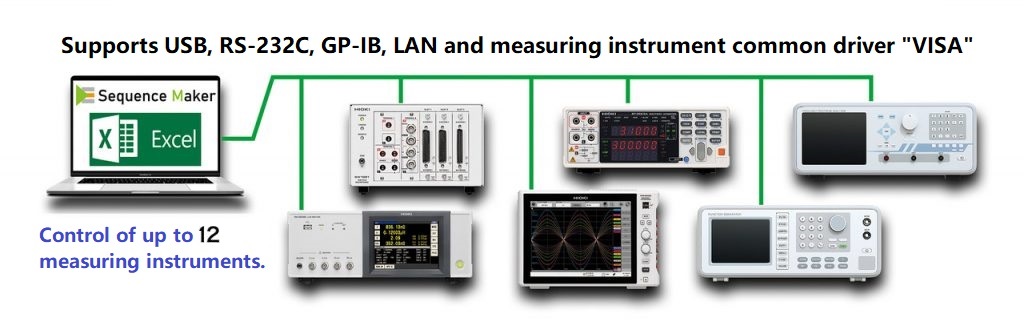
Multiple instruments can be easily controlled via Excel.
No advanced programming knowledge or expensive development environment is required.
All common communication interfaces such as RS-232C, USB, GPIB, LAN, etc. are supported.
How to use
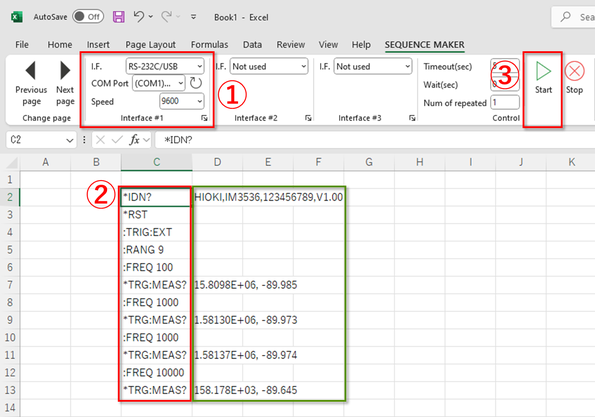
Connect your instrument(s) to the PC, select and configure the communication interface.
Enter the communication command in the Excel sheet.
Select the cell of the command you want to send and press the “Start” button.
The add-in will automatically send and receive the command until the blank cell. If the command contains “?”, the received data will be output to the right of the command.
Demonstration
Other Features
- Control of up to 12 measuring instruments.
- Timeout time, wait time before transmission, and number of repetitions can be set.
- Received data are divided by commas and semicolons.
- Flexible control is made possible with Sequence Maker specific commands. (See Web manual)
- Multi-language support (Japanese, English, Korean, Chinese) Note: Depends on Excel’s language settings
Application
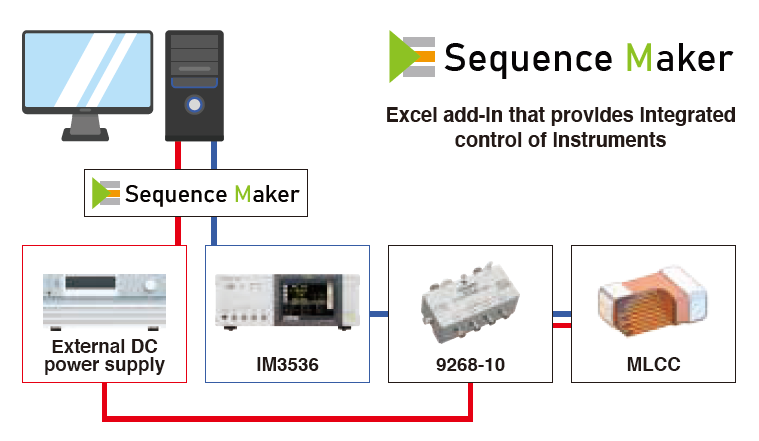
Measurement of DC Voltage Bias Characteristics in Multilayer Ceramic Capacitors (MLCCs)
The capacitance of multilayer ceramic capacitors (MLCCs) becomes higher. Additionally, the components are frequently considered as an replacement to tantalum capacitors and electrolytic capacitors due to their small size. In such substitutions, the voltage characteristic of capacitance merits caution as an MLCC characteristic.
PDF DownloadEXCEL Sample
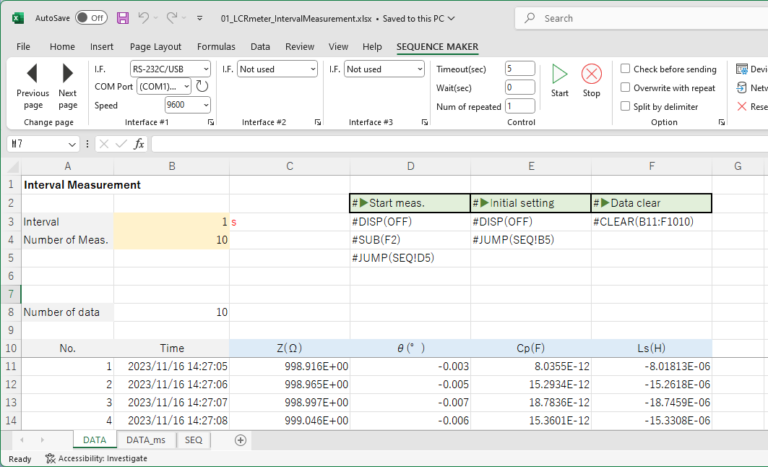
EXCEL sample files are available.
DownloadFAQ
*Measuring instruments that require a dedicated DLL (Dynamic Link Library) for communication cannot be controlled.
*USB communication is supported only via virtual COM ports and TMC (using VISA).
Manual
A web manual is available that explains how to use the software in more detail.
You can also check Sequence Maker specific commands.
Web manual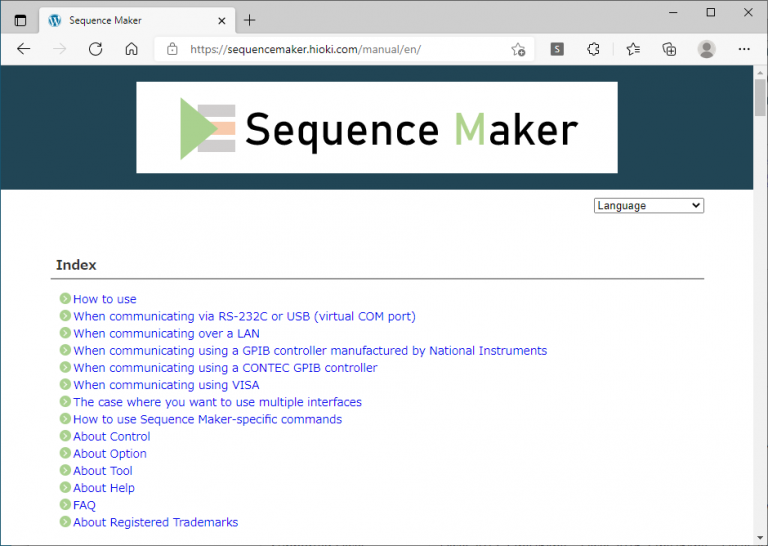
Specifications
| Supported interfaces |
・RS-232C (USB virtual COM) ・LAN (socket communication) ・GPIB (GPIB controller from National Instruments and CONTEC) ・VISA (USB TMC, LAN LXI) *Measuring instruments that require a dedicated DLL (Dynamic Link Library) for communication cannot be controlled. *USB communication is supported only via virtual COM ports and TMC (using VISA). |
|---|---|
| Supported OS | Windows 10 32bit/64bit, Windows 11 64bit |
| Supported Excel | Excel 2013 32bit/64bit, Excel 2016 32bit/64bit, Excel 2019 32bit/64bit, Excel 2021 32bit/64bit, Excel 2024 32bit/64bit, Excel 365 32bit/64bit |
| GPIB controller | NI GPIB-USB-HS, NI GPIB-USB-HS+, CONTEC GP-IB(USB)FL, CONTEC GPIB-FL-LPE, Keysight 82357B |
| VISA instrument driver | National Instruments NI-VISA 20.0, Keysight IO Libraries Suite 2020 Update 1, KIKUSUI KI-VISA 5.5.0.275, R&S VISA 7.2.3 |
| Digital I/O controller | CONTEC DIO-0808LY-USB, CONTEC DO-16TY-USB, etc… |
| Required runtime library | .NET Framework 4.8 Visual Studio 2010 Tools for Office Runtime 10.0.40820 |
Note
- When using USB or GPIB, it is necessary to install a device driver. For details, please refer to the instruction manual of each product.
- To use the latest version of the check function, an Internet connection is required.
- This add-in can send and receive communication commands with various measuring instruments, but it does not guarantee communication of communication commands with all measuring instruments. Depending on the specifications, data size, or combination of communication commands, it may not be possible to communicate properly. For details of communication commands, please contact the manufacturer of each measuring instrument.
- Sequence Maker is a registered trademarks of HIOKI E.E. Corporation.
- The names of companies and products appearing on this site are trademarks or registered trademarks of their respective owners.